


For dealerships that want to improve lead captures on their vehicle display pages (VDPs), our newest update feature at EDealer is the perfect way to do it, as you can now add a fillable form to the photo gallery! As a viewer takes a look at the vehicle photos, and reaches the end of the gallery, a form will display with this feature. A pill badge (clickable button link) is also added to the final photo for easy access to the form.
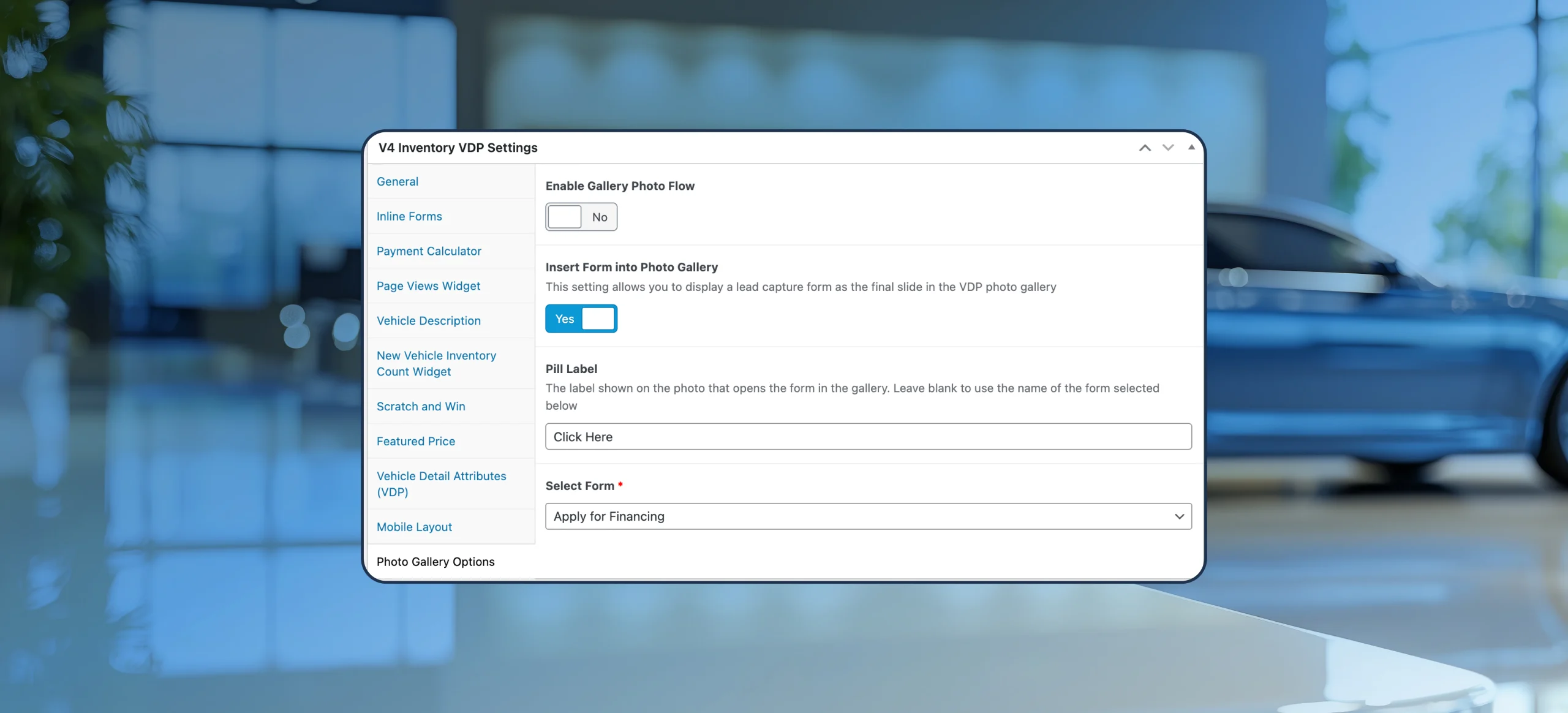
How to Set Up Photo Gallery Forms
To put a form at the end of photo galleries on your VDPs, just follow these steps:
- Log in to WordPress.
- Go to V4 Inventory > VDP > Photo Gallery Options.
- Set the toggle “Insert Form into Photo Gallery” to Yes.
- Enter text for the pill within the “Pill Label box (optional).
- Pick a form from the Select Form dropdown.
- Click “Update.”
Integrate Forms on Your VDPs Today
Our EDealer Support Team is here to help make it easy to set up any of our new updates, including integrating forms into the photo gallery of your VDPs! Click the link below or contact us to request assistance adding in the form of your choice, and we’ll help you do so today!
